
Introduction
Authentication is one of those areas where security and usability often seem to move in opposite directions.
Passwords are familiar and easy to understand, but they introduce several problems. Users need to create them, remember them, avoid reusing them across different services and deal with recovery flows when they forget them. From the application’s perspective, passwords also require additional precautions such as secure hashing, brute-force protection, password reset mechanisms and defenses against credential theft.
At the same time, adding more layers of security can make the authentication experience increasingly inconvenient. Longer passwords, additional verification codes and complex recovery processes may improve protection in some scenarios, but they also increase friction for the user.
This is where WebAuthn becomes interesting.
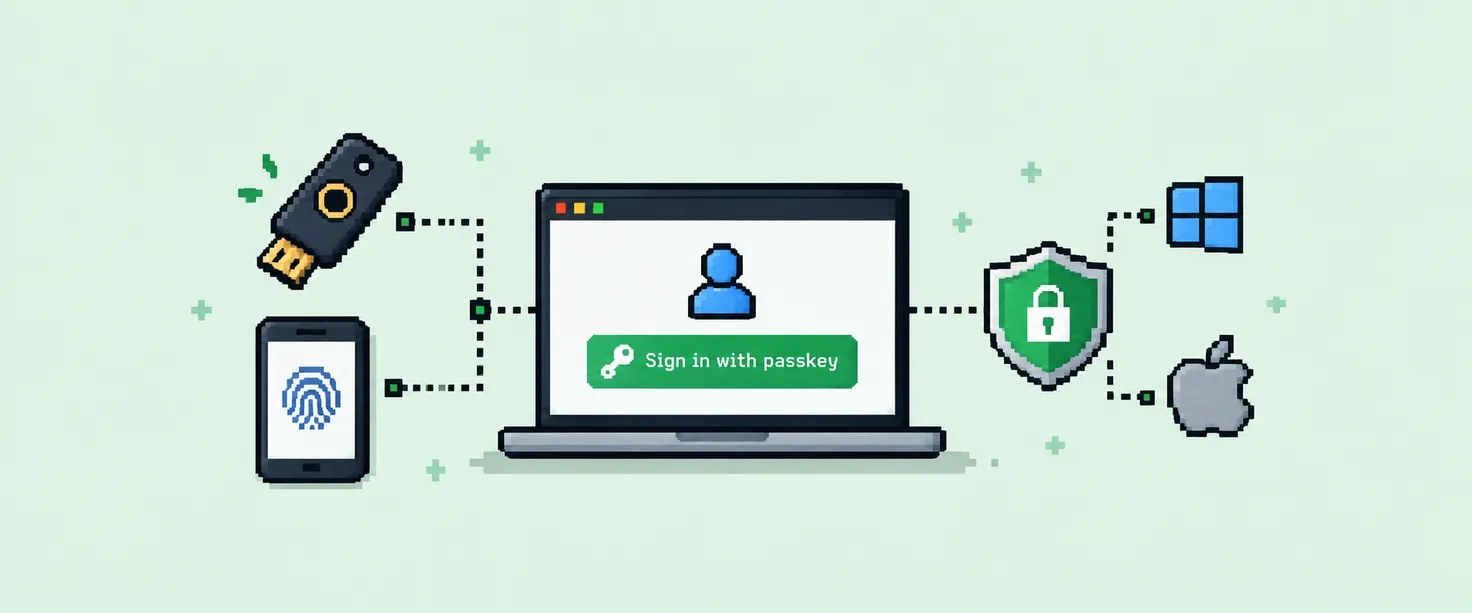
WebAuthn is a modern authentication standard that allows users to prove their identity using public-key cryptography, instead of relying only on a shared secret such as a password. In practice, this enables authentication using mechanisms already familiar to users, such as fingerprint recognition, facial recognition, a device PIN or a hardware security key.
The most important point is that WebAuthn does not simply make login more convenient. It changes the way authentication works.
Instead of proving identity by sending a secret to the server, the user proves possession of a cryptographic credential.
That change in the authentication model is what makes WebAuthn a strong strategy for balancing security and usability.
What is WebAuthn?
WebAuthn, short for Web Authentication API, is a web standard that allows applications to authenticate users using asymmetric cryptography. It is also one of the technologies behind modern Passkeys.
At a high level, the authentication process involves three main components:
- Application server, responsible for generating challenges and validating authentication responses.
- Browser, responsible for connecting the application with the authenticator.
- Authenticator, responsible for protecting the credential and performing cryptographic operations.
The authenticator may be built into the user’s device or provided by external hardware. Some common examples include Touch ID, Face ID, Windows Hello, Android biometrics and physical security keys.
From the user’s perspective, authentication may be as simple as touching a fingerprint sensor. Behind that interaction, however, there is a cryptographic process involving a pair of keys, a server-generated challenge and a digital signature.
Public and private keys
The foundation of WebAuthn is asymmetric cryptography.
Instead of using a single shared secret, the authentication process relies on a pair of mathematically related keys:
- Private key
- Public key
Each key has a different responsibility.
The private key remains protected by the user’s authenticator. It is not intended to be sent to the application server or exposed to the browser as raw key material.
The public key, on the other hand, can be shared with the application and stored by the server as part of the user’s credential.
The core idea can be summarized as:
The server does not need to know the private key. The user only needs to prove that they possess it.
This is fundamentally different from a password-based model. With passwords, the user proves identity by demonstrating knowledge of a shared secret. With WebAuthn, the user proves possession of a cryptographic credential without revealing the private key itself.
Digital signatures
The mechanism that makes this proof possible is the digital signature.
A digital signature allows the authenticator to sign information using the private key. The server can then use the corresponding public key to verify that signature.
A simplified version of the process looks like this:
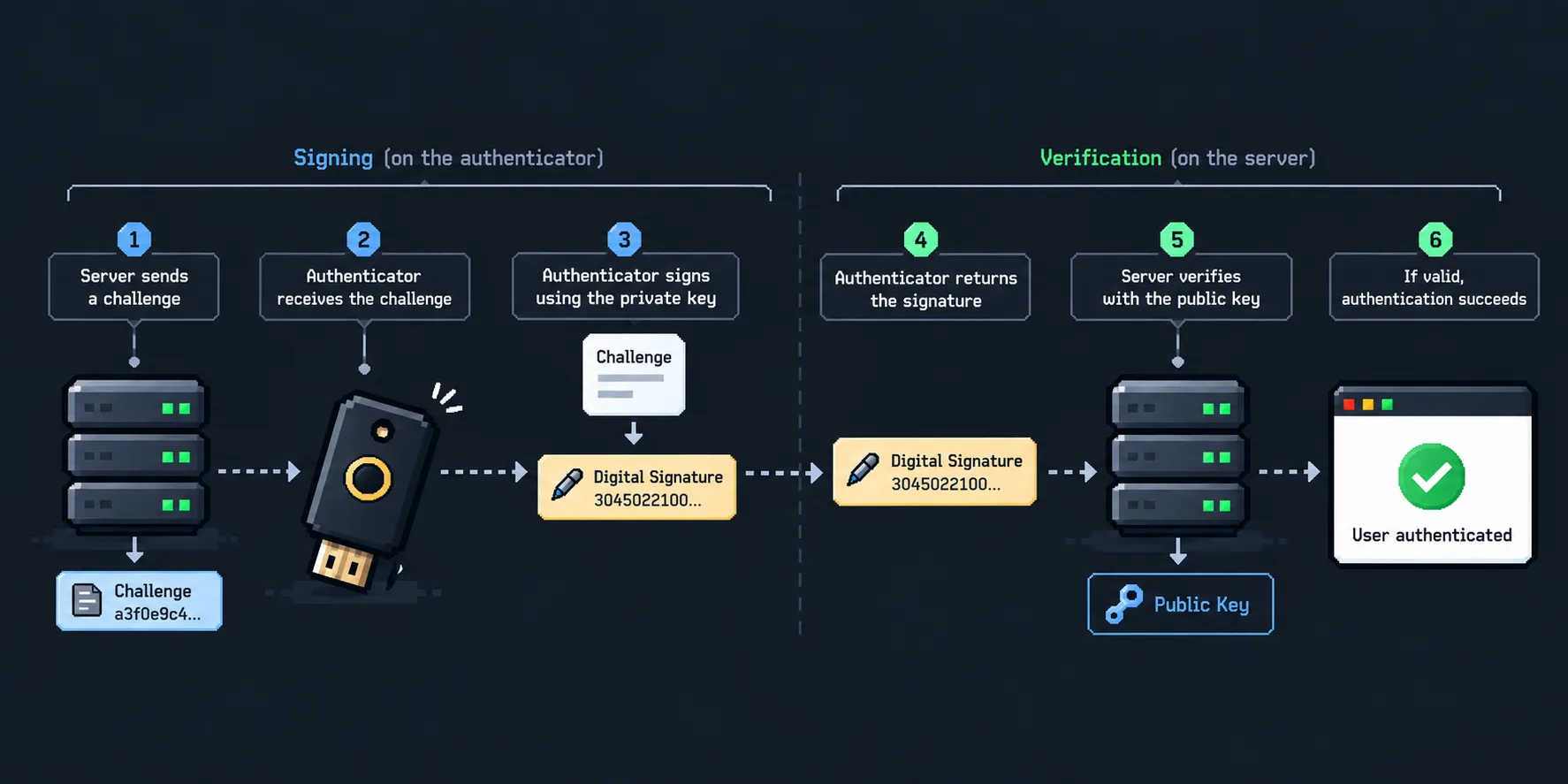
If the verification succeeds, the server has cryptographic evidence that the response was generated by an authenticator that possesses the expected private key.
The private key itself never needs to be revealed or sent through the network.
It is also important to distinguish digital signatures from encryption. Although both concepts can use asymmetric cryptography, WebAuthn primarily uses it for authentication and proof of possession.
The goal is not to encrypt the challenge. The goal is to prove that the user possesses the private key associated with the registered credential.
Credential registration
Before WebAuthn can be used for authentication, a credential needs to be registered.
This may happen during the sign-up process or when an existing user chooses to add a passkey or another WebAuthn credential to their account.
The process usually begins when the application requests credential creation options from the server. The server then generates a random challenge and returns it together with the configuration required to create the credential.
The browser passes this information to the authenticator, which creates a new cryptographic key pair.
At this point:
- The private key remains protected by the authenticator.
- The public credential data is returned to the application server.
A simplified registration flow looks like this:
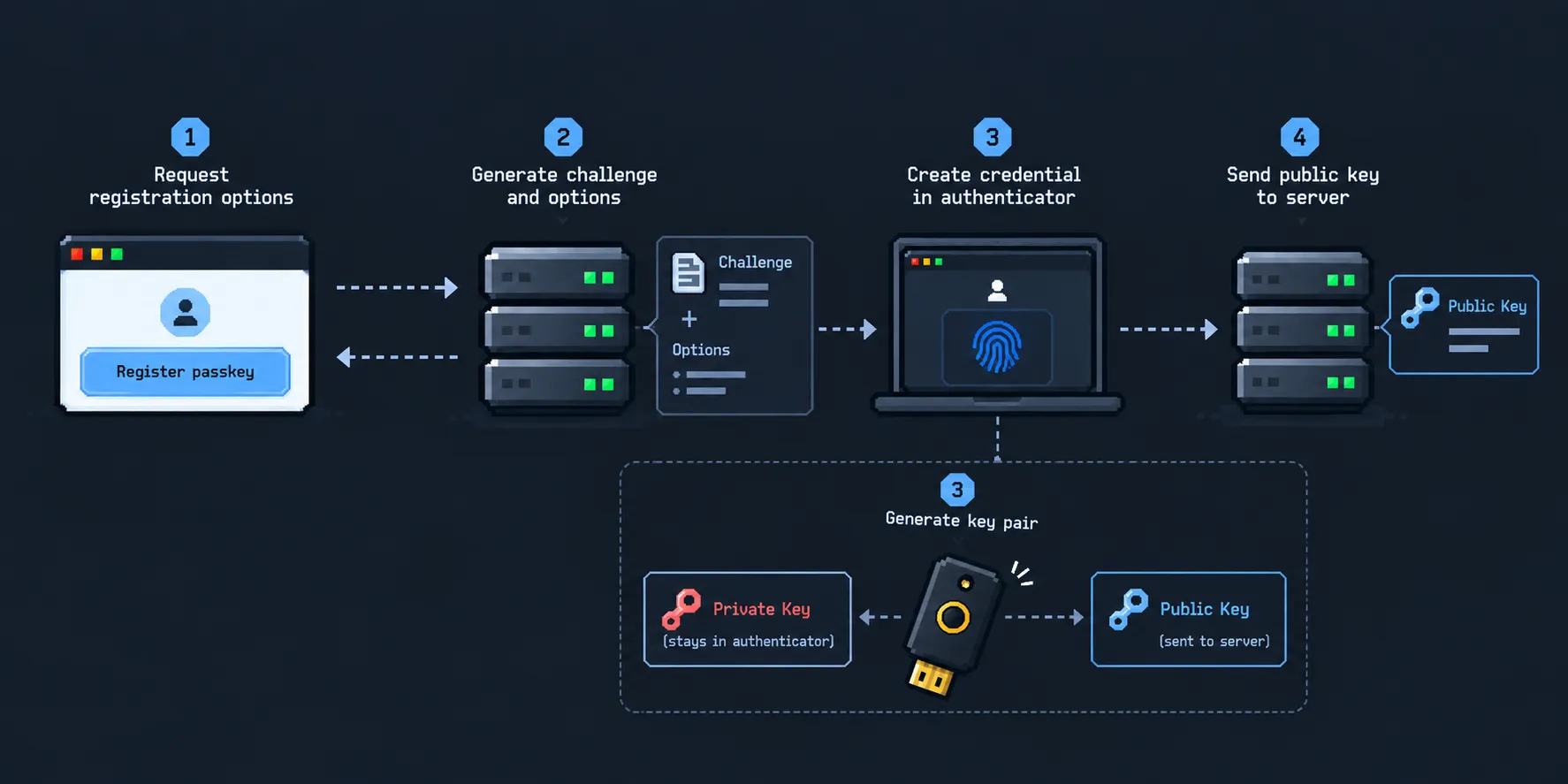
The server stores the information required to identify and verify that credential in future authentication attempts.
Authentication
Once a credential has been registered, it can be used during login.
The process begins when the server generates a new random challenge and sends it to the browser as part of the authentication options.
The browser then communicates with the authenticator. Depending on the device and configuration, the authenticator may ask the user for local verification through a fingerprint, facial recognition, PIN or another supported method.
After the user is verified, the authenticator uses the private key associated with the credential to generate a signed authentication response.
That response is returned to the server, which retrieves the public key associated with the credential and verifies the signature.
The general flow looks like this:
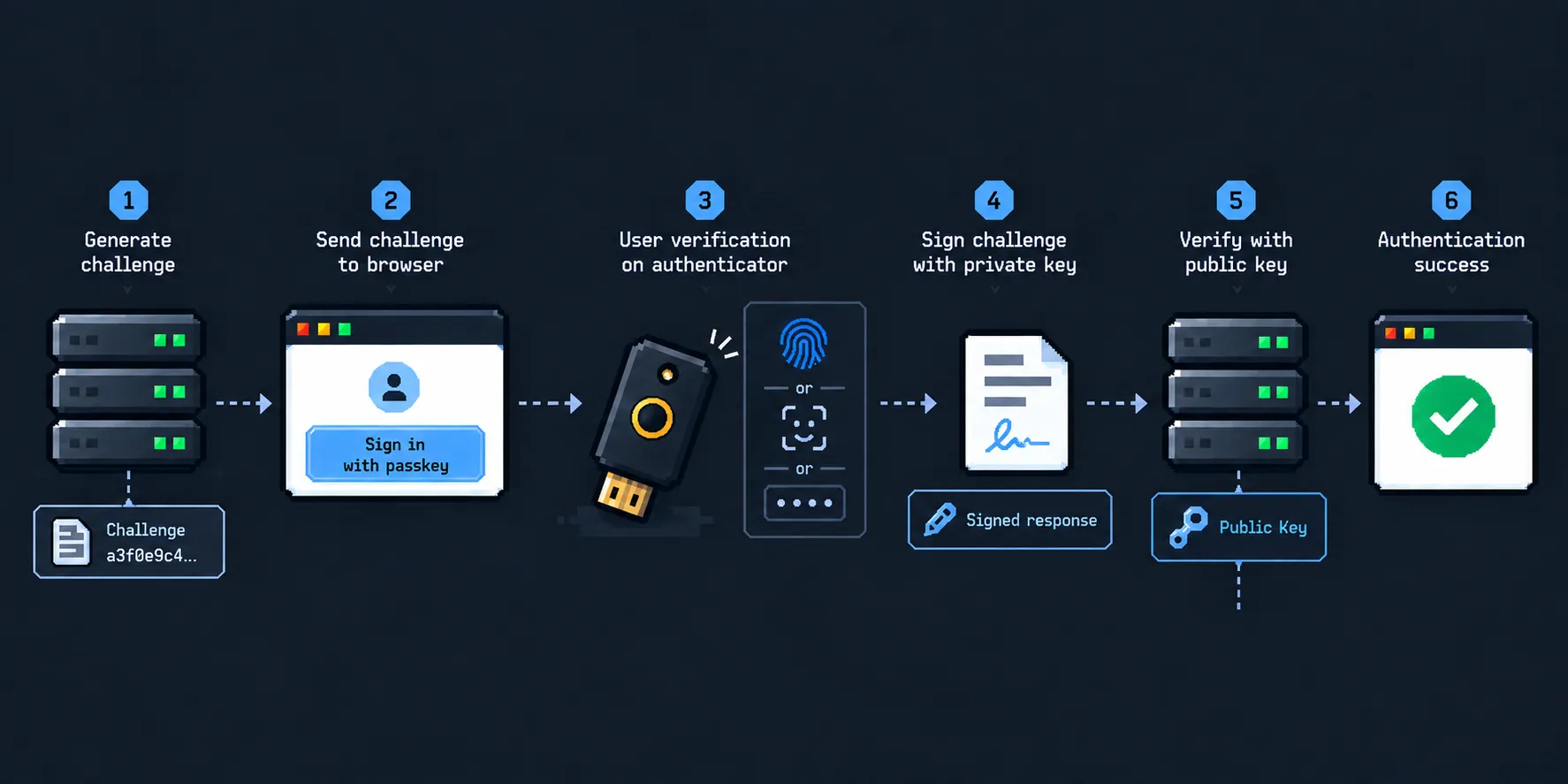
If the verification succeeds, the server knows that the authentication response came from an authenticator that possesses the expected private key.
The role of the challenge
The challenge is one of the most important elements in the WebAuthn authentication flow.
It is a random value generated by the server for a specific registration or authentication operation. The authenticator uses this challenge as part of the data that is signed during the authentication process.
Because the server generates a new challenge for every authentication attempt, a response captured during a previous login cannot simply be reused later.
For example:
Login attempt 1

Challenge A
↓
Signature A
A new login attempt generates a different challenge:
Login attempt 2

Challenge B
↓
Signature B
A valid response created for Challenge A is not valid for Challenge B.
This makes the authentication proof specific to a particular login attempt and helps protect the system against replay attacks.
Why WebAuthn is stronger than passwords
-
No shared authentication secret on the server: The server stores a public key instead of the private authentication key. If the public key is exposed, it cannot be used by itself to generate valid authentication signatures.
-
No password reuse: WebAuthn credentials are associated with a specific relying party, so the user does not need to reuse the same secret across multiple unrelated applications.
-
Strong phishing resistance: WebAuthn credentials are associated with the relying party and the origin of the application. Because of this, a phishing website cannot simply capture the user’s credential in the same way it could capture a password and reuse it against the legitimate application.
-
Protection against replay attacks: Every authentication operation uses a new challenge, so previously generated authentication responses cannot simply be reused in a future login attempt.
The usability side
One of the most interesting aspects of WebAuthn is that its security model does not need to make the authentication experience more complicated.
From the user’s perspective, the flow can remain very simple:
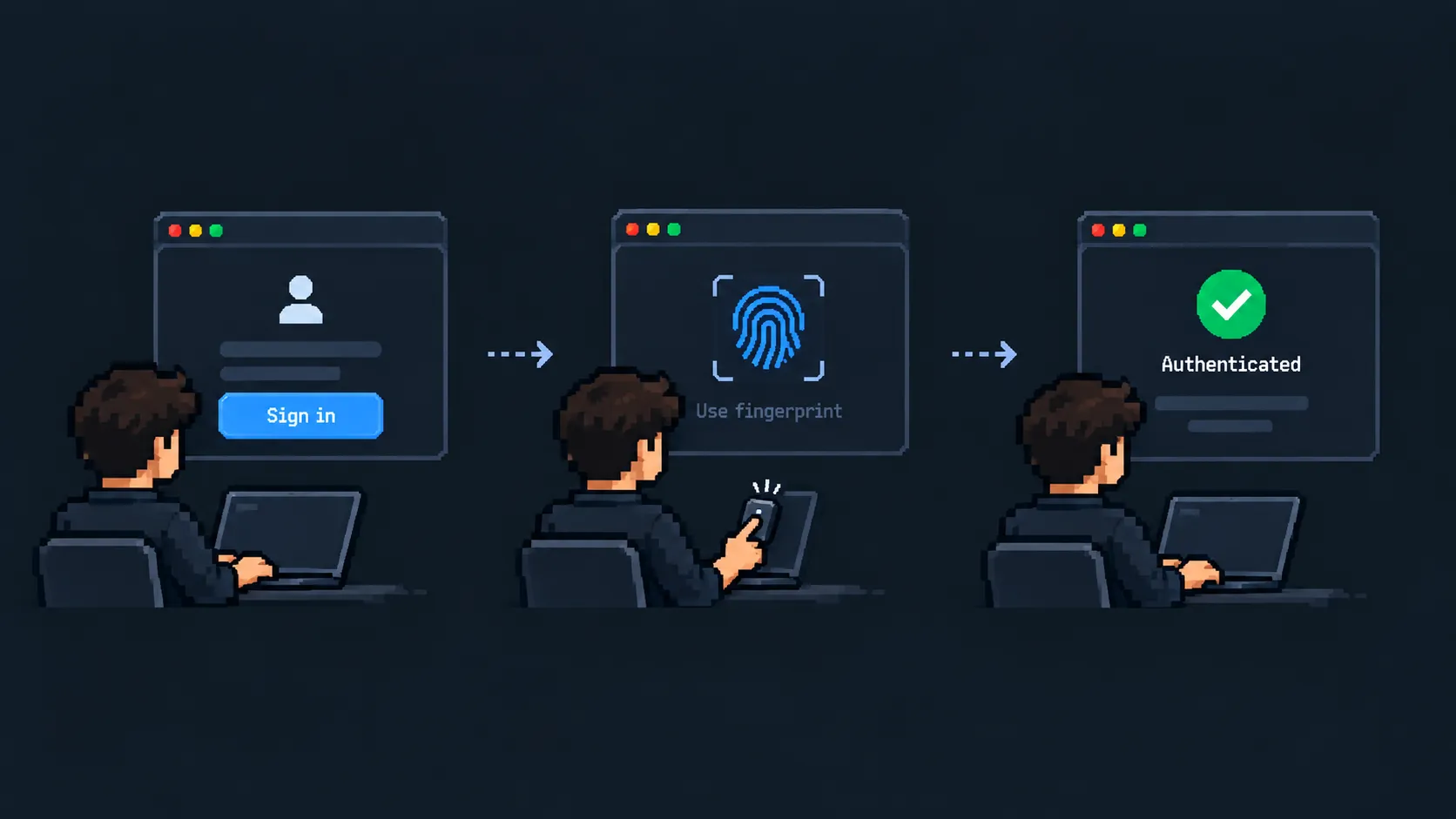
The user interacts with mechanisms that are already familiar, such as fingerprint recognition, Face ID, a device PIN or a physical security key. The complexity required to make that authentication secure stays mostly behind the scenes.
This is important because authentication often introduces friction as security requirements increase. More verification steps, stricter password rules and recovery mechanisms can make the experience harder to use.
WebAuthn takes a different approach: instead of asking the user to deal with more complexity, it moves much of that complexity into the authentication protocol itself.
As a result, the application can provide a stronger authentication mechanism while keeping the interaction short and familiar.
This balance between strong security guarantees and low user friction is one of the main reasons WebAuthn is such an interesting authentication strategy.
WebAuthn does not replace sessions
WebAuthn is responsible for verifying the user’s identity, but it does not define how the application should keep that user authenticated after login.
These are two separate concerns.
With WebAuthn, the application verifies the user’s credential through a cryptographic challenge and signature. Once that verification succeeds, the application can create a session in the same way it would after a successful password login.
For example, a backend can generate a session identifier, store the session on the server and send that identifier to the browser through an HttpOnly cookie.
From that point on, subsequent requests are authenticated using the session, not by repeating the WebAuthn flow every time.
So WebAuthn changes how the user proves their identity during authentication, while session management still defines how the application maintains that authenticated state afterward.
In practice, WebAuthn works very well alongside traditional session-based authentication.
The trade-offs
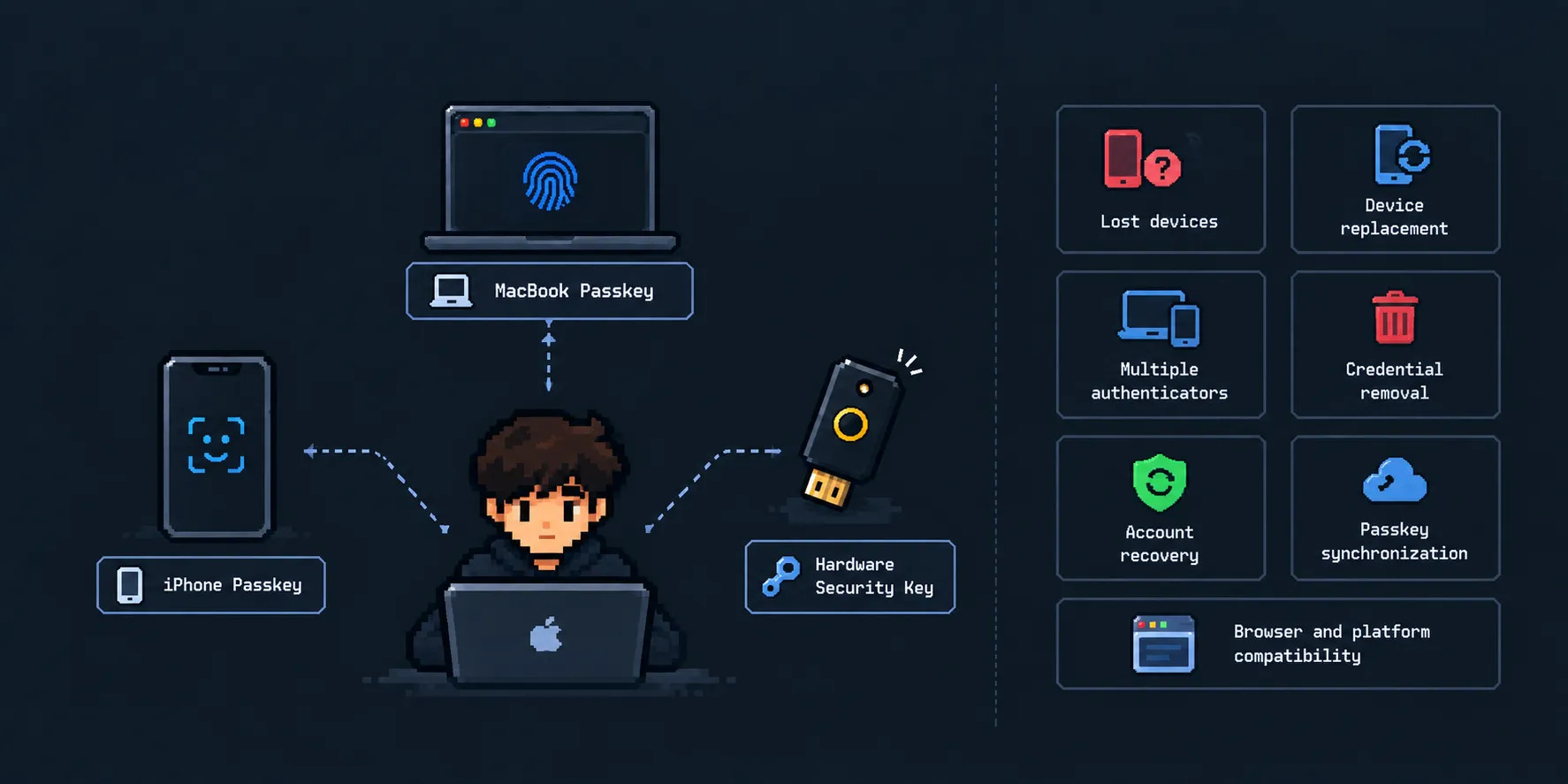
WebAuthn solves several problems associated with passwords, but it does not eliminate the need for careful authentication design.
Applications still need to consider scenarios such as:
- Lost devices
- Device replacement
- Multiple authenticators
- Credential removal
- Account recovery
- Passkey synchronization
- Browser and platform compatibility
WebAuthn improves the authentication model, but recovery and credential lifecycle management still need to be treated as important parts of the system.
Conclusion
WebAuthn provides a different way to think about authentication by replacing reusable secrets with cryptographic proof. Instead of depending on a password that must be remembered, transmitted and protected, the application verifies that the user possesses a valid credential through public-key cryptography. This improves resistance to common problems such as phishing, credential reuse and replay attacks while keeping sensitive key material out of the server.
What makes WebAuthn especially valuable is that these security improvements do not necessarily come at the cost of a worse user experience. The complexity stays mostly inside the protocol, while the user interacts with familiar mechanisms such as biometrics, device PINs or security keys. It is not a complete authentication strategy by itself, since session management, recovery and credential lifecycle still need to be designed carefully, but it offers a strong foundation for building authentication flows that are both secure and practical.