

Introduction
Mockment is a personal open-source project I’ve been developing to simulate a payment gateway in a local environment. Its purpose is to help developers test payment integrations without depending on external providers or real financial transactions.
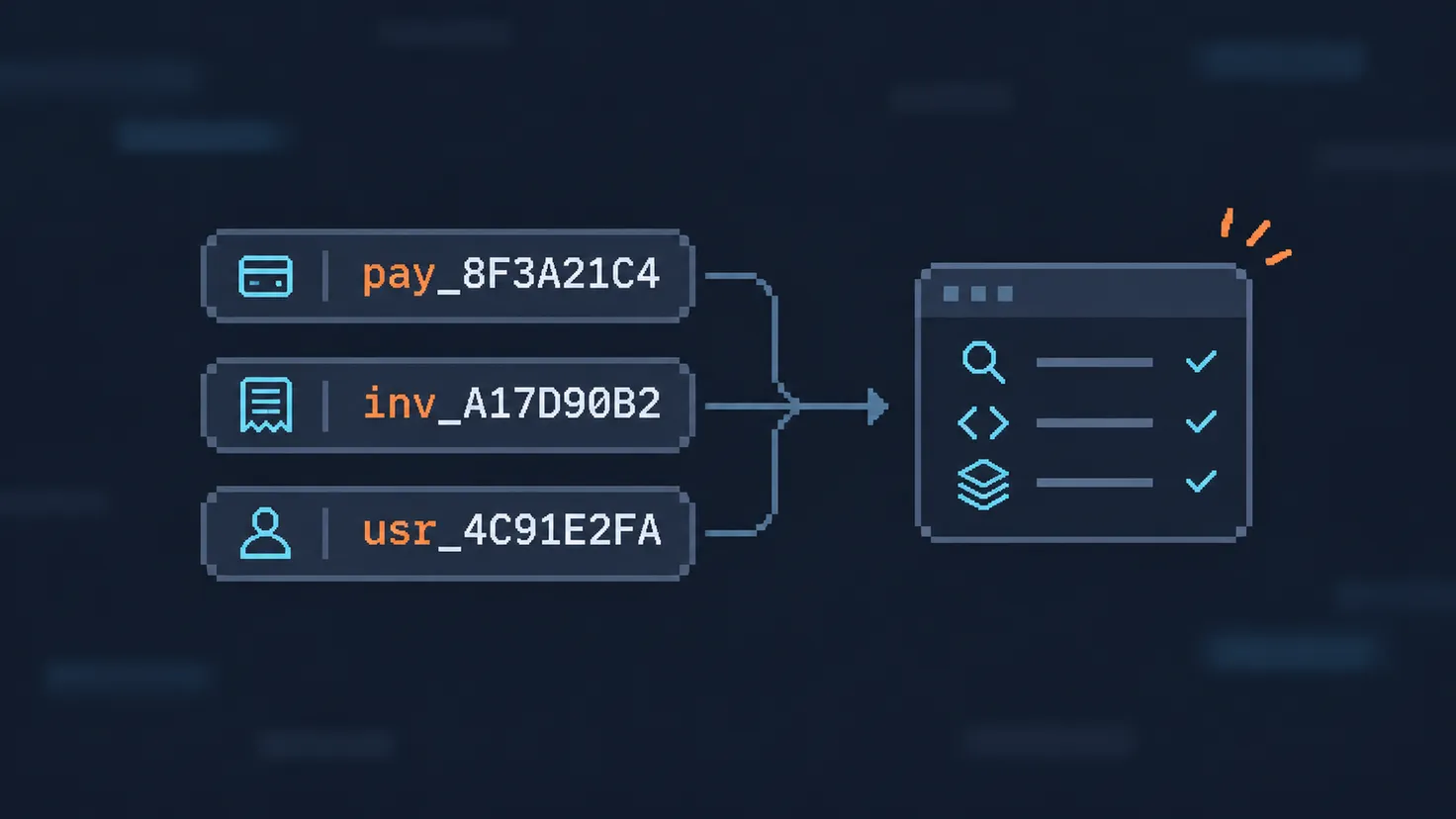
During development, I decided to adopt prefixed identifiers for the system’s resources, a convention commonly found in payment APIs. The motivation was primarily related to developer experience. When inspecting API responses, reading application logs, or debugging integrations, being able to recognize the type of resource from its identifier makes it easier to understand what is happening without constantly looking up additional information.
What started as a relatively small API design decision eventually influenced another part of the application. While working on Mockment’s search interface, I realized that the information already present in these identifiers could be used not only to identify resources, but also to simplify navigation and execute operations directly from the frontend.
Prefixed Resource Identifiers
The idea of using prefixes in identifiers was not entirely new to Mockment. I had already adopted a similar convention for generated API keys, using the mk_test_ prefix to make them recognizable as test credentials.
This is a common approach in API design. Services often use prefixes in API keys to communicate information such as the issuing service, credential type, or environment. For example, a prefix can help developers distinguish a test credential from a production credential without having to inspect its contents or consult additional documentation.
In Mockment, a generated API key follows a format similar to:
mk_test_<generated-key>The mk_test_ prefix provides immediate context about the credential. However, it is important to distinguish this from a security mechanism: a prefix is descriptive, not a substitute for authentication, authorization, or secure key handling. It also does not make the credential safe to expose.
While working on the API’s resources, I decided to extend this idea to their identifiers. The motivation was similar: make it easier to understand what an identifier represents when working with API responses, application logs, or integrations.
A UUID provides a way to uniquely identify a resource, but the identifier itself does not communicate what kind of resource it represents. Consider the following example:
7a7ac5a1-8d8d-402f-b3cd-beccaead9f81Without additional context, there is no way to determine whether it belongs to a payment, an invoice, or a customer. By introducing a prefix, the identifier becomes more descriptive while preserving the UUID as its underlying component:
pay_7a7ac5a1-8d8d-402f-b3cd-beccaead9f81The pay_ prefix immediately indicates that the identifier belongs to a payment. In Mockment, I adopted the following convention:
| Resource | Prefix | Example |
|---|---|---|
| Payment | pay_ |
pay_7a7ac5a1-8d8d-402f-b3cd-beccaead9f81 |
| Invoice | inv_ |
inv_7a7ac5a1-8d8d-402f-b3cd-beccaead9f81 |
| Customer | cus_ |
cus_7a7ac5a1-8d8d-402f-b3cd-beccaead9f81 |
| Product | prd_ |
prd_7a7ac5a1-8d8d-402f-b3cd-beccaead9f81 |
| Checkout | chk_ |
chk_7a7ac5a1-8d8d-402f-b3cd-beccaead9f81 |
| Subscription | sub_ |
sub_7a7ac5a1-8d8d-402f-b3cd-beccaead9f81 |
| Event | evt_ |
evt_7a7ac5a1-8d8d-402f-b3cd-beccaead9f81 |
| Webhook | whk_ |
whk_7a7ac5a1-8d8d-402f-b3cd-beccaead9f81 |
Although API keys and resource identifiers serve different purposes, the reasoning behind their prefixes is similar: providing useful context directly through a consistent naming convention.
The main advantage becomes apparent when working with resources outside the application interface. A developer inspecting a webhook payload, for instance, can distinguish a payment identifier from an invoice identifier without having to consult the API documentation or examine the surrounding fields.
This does not fundamentally change how resources are identified or retrieved. The UUID remains the unique component of the identifier, while the prefix establishes a recognizable convention across the API. However, maintaining this consistency also creates opportunities to use identifiers beyond their original purpose.
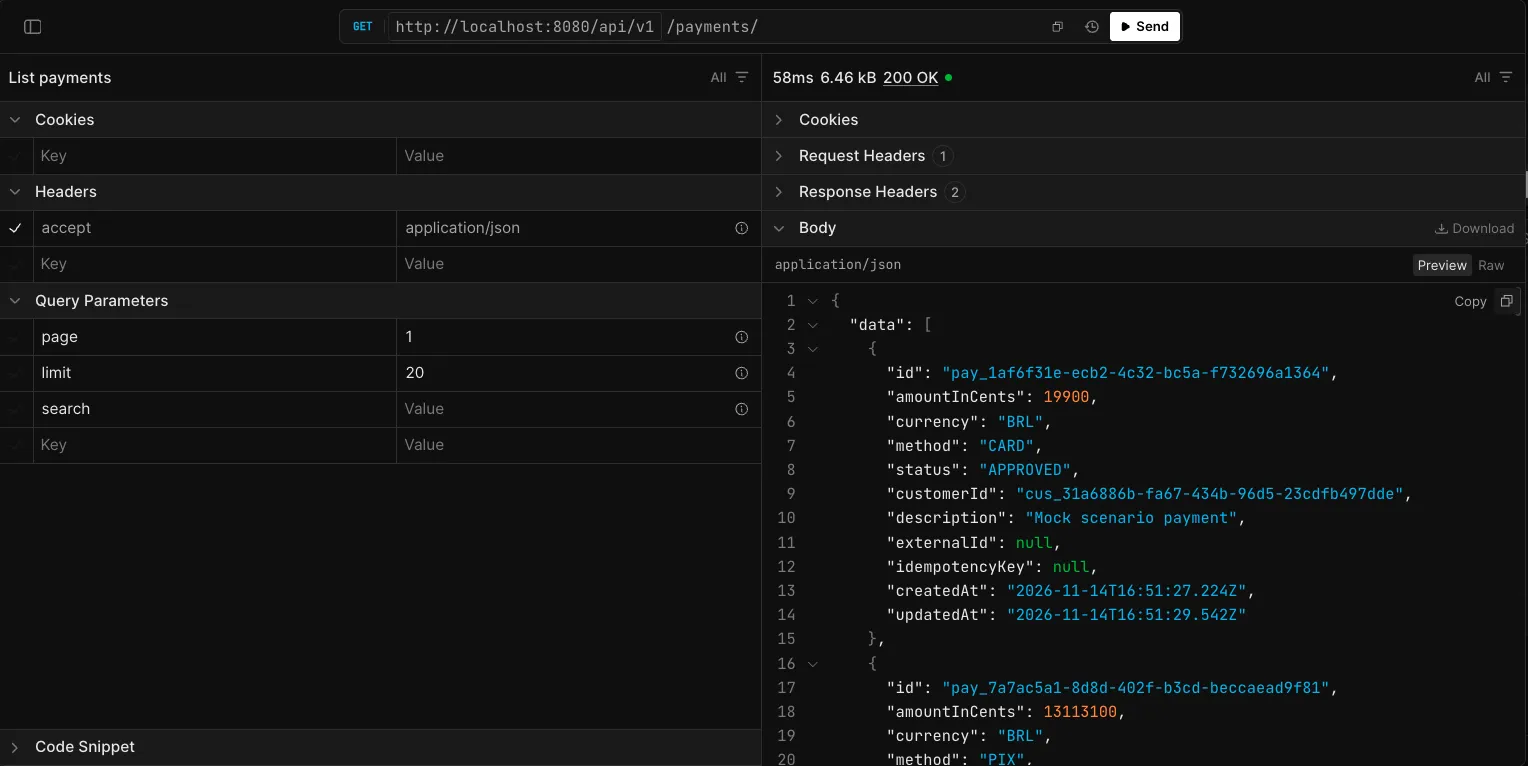 Figure 1: A Mockment API response with prefixed resource identifiers.
From a Navigation Problem to a Search Feature
The idea for this feature came up while I was working with invoices in Mockment. After creating an invoice, I wanted to inspect the details of its associated payment. At that point, the application already had a search component, although its functionality was limited to displaying the available listing pages and allowing users to navigate between them.
To access the related payment, I would normally have to copy its ID, navigate to the payments page, search for the corresponding record, and then open its details. None of these steps was particularly complicated, but the process felt unnecessarily long considering that I already had the exact identifier of the resource I wanted to inspect.
My first thought was to extend the existing search component. I had in mind something similar to macOS Spotlight, which can be opened with Command + Space and allows users to find information or launch applications without manually navigating through the interface. Rather than introducing a separate search mechanism, I wanted to make better use of what was already available in Mockment.
This was where the prefixed IDs became particularly useful. Since each identifier already contained information about its resource type, the search component could recognize an ID such as pay_7a7ac5a1-8d8d-402f-b3cd-beccaead9f81 and suggest navigating directly to the corresponding payment details page. The user would only need to paste the identifier into the search field and select the suggested destination, without going through the payments listing.
The same approach could be applied to other resources, such as invoices, customers, and subscriptions, provided their prefixes were mapped to the corresponding detail routes. A convention originally introduced to improve API readability had become useful for simplifying navigation within the application.
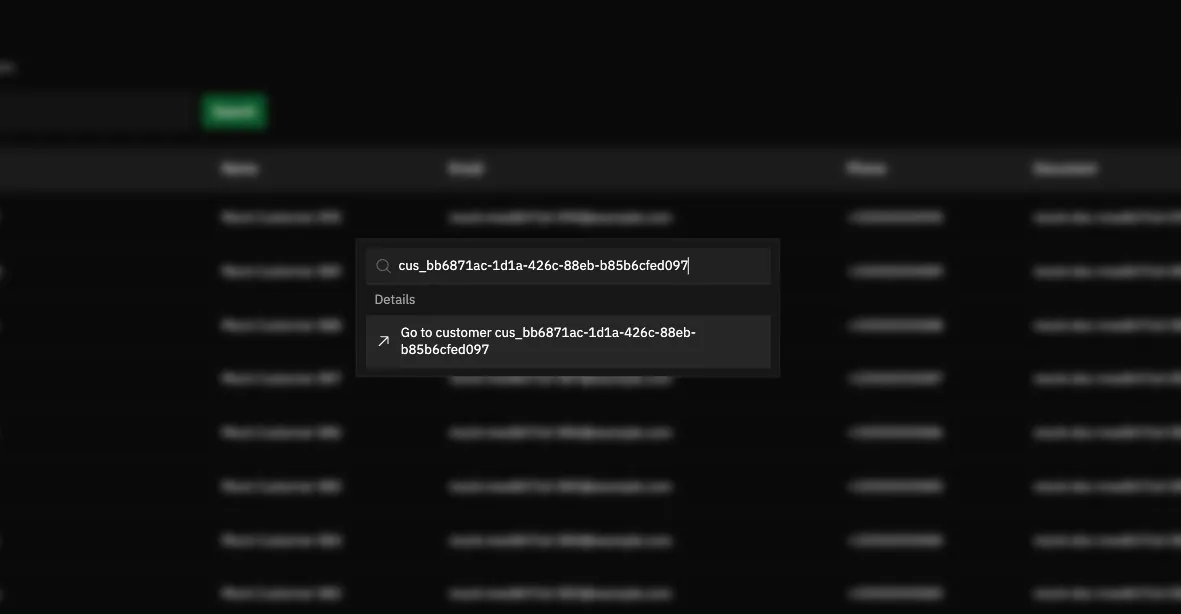 Figure 2: Spotlight Search suggests a resource details page from its identifier.
Beyond Navigation: Introducing Resource Actions
After implementing direct navigation through resource IDs, I started considering other possibilities for the search component. Mockment already exposed several API operations that could be invoked using a resource identifier, so limiting the component to navigation seemed like an unnecessary restriction.
The idea was to allow users to perform common operations directly from the search interface, without having to open a resource’s details page. For instance, a payment could be processed or approved, an invoice could be issued, a subscription could be paused or resumed, and an event could be replayed. These operations already existed in the API, so the goal was not to introduce new business functionality, but to provide another way to access it through the frontend.
The implementation followed the same principle used for direct navigation. Since each resource has a recognizable prefix, the frontend can determine which operations are associated with the identifier entered by the user. Instead of treating every search input as a page name, the component recognizes resource identifiers and presents contextual commands according to their type.
I organized the supported operations around each resource:
| Resource | Available actions |
|---|---|
| Payment | Process, Approve, Decline, Cancel, Refund |
| Invoice | Process, Issue |
| Subscription | Pause, Resume, Cancel |
| Event | Replay |
| Webhook Endpoint | Test |
Not every resource needs to support executable actions. Some identifiers simply provide a shortcut to their corresponding details pages, while others offer both navigation and operations. The available commands depend on the resource type and the actions registered for it.
An important distinction is that recognizing an identifier does not guarantee that an operation is valid. A resource may not exist, or its current state may prevent a particular operation. The search component only identifies the resource type and exposes the corresponding commands. The API remains responsible for enforcing business rules and validating state transitions.
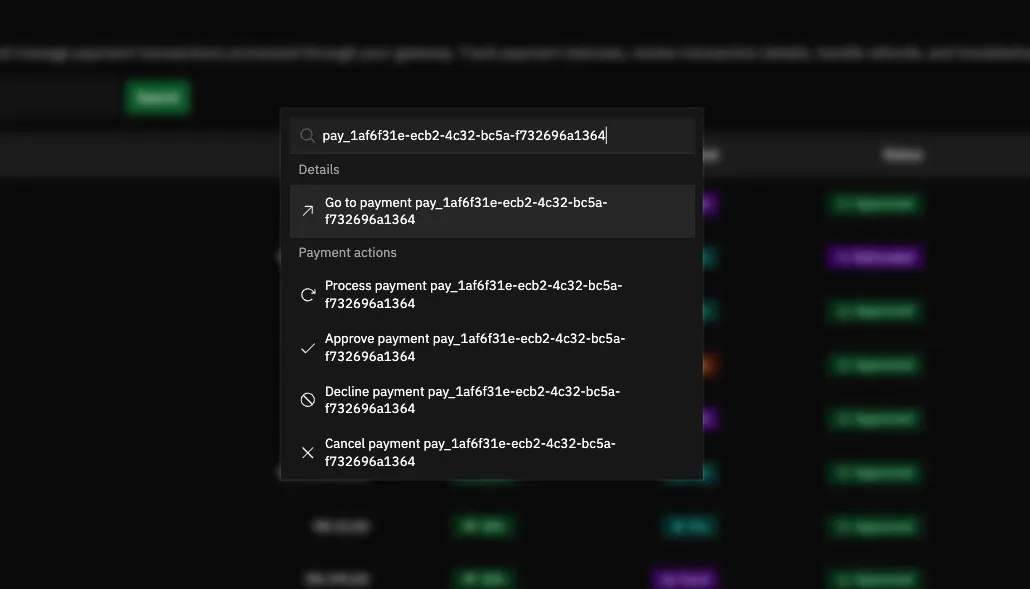 Figure 3: Spotlight Search displays actions available for a resource.
This idea of using identifiers to access a specific context or perform an operation is not exclusive to Mockment. Developer tools such as OpenAI Codex and Claude Code follow a similar principle in their command-line interfaces. Both allow developers to resume previous sessions by passing a session identifier to a CLI command, such as:
codex resume <session-id>
claude --resume <session-id>
Although these tools use identifiers to retrieve session context rather than identify API resources, the underlying idea is similar: when the user already knows exactly what they want to interact with, there is little reason to require them to navigate through multiple screens or menus. In Mockment, I wanted to bring that same convenience to the web interface, using resource IDs as an entry point for navigation and contextual actions.
From PageSearch to SpotlightSearch
With these changes, the component had evolved considerably from its original purpose. What initially existed as PageSearch, a simple interface for finding and navigating to the application’s listing pages, now supported resource identification, direct navigation, and API operations.
I decided to rename it to SpotlightSearch, taking inspiration from macOS Spotlight. The idea was to have a centralized command interface where users could access different parts of the application or execute actions without navigating through multiple screens.
The component can be opened using Command + K on macOS or Ctrl + K on other systems. When a user enters a supported resource ID, Spotlight Search identifies its prefix and displays the available commands, separating navigation suggestions from resource-specific operations.
For the implementation, I created the useSearchEntityActions hook, which centralizes the mapping between resource prefixes, their corresponding routes, and the operations available for each entity. The SpotlightSearch component consumes this information and renders the appropriate suggestions based on the search input.
This separation keeps the search interface independent of the details of each resource’s operations. Adding support for another entity generally involves registering its prefix, defining its route when applicable, and associating the corresponding API actions. The command interface itself does not need to know how each operation is implemented.
Alongside these capabilities, Spotlight Search continues to provide access to application pages and API documentation, while also supporting recently visited pages and navigation to individual Mockboard dashboards.
The feature was introduced in Mockment v0.2.0 - Init.
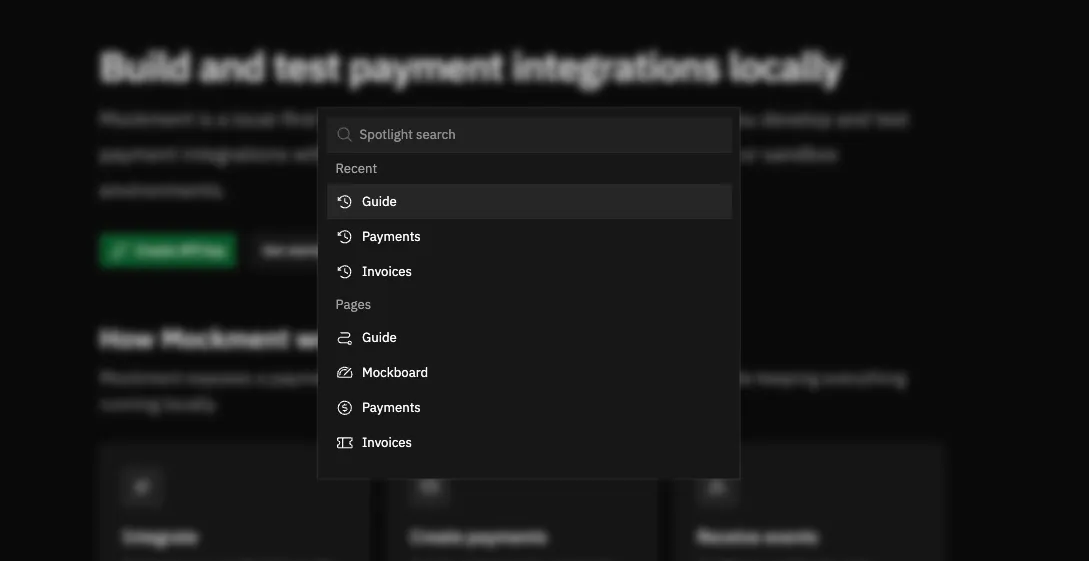 Figure 4: The Mockment Spotlight Search command interface.
Analyzing the Trade-offs
In Fundamentals of Software Architecture, Mark Richards and Neal Ford introduce the first law of software architecture:
Everything in software architecture is a trade-off.
This principle emphasizes that architectural decisions are rarely about finding a universally correct solution, but rather understanding the advantages and disadvantages of different approaches and deciding which ones make sense for a particular context.
Adopting prefixed identifiers is no exception. Although the convention improves readability and provides additional context about resources, it also introduces considerations that would not exist when using plain UUIDs.
One of them is the coupling between resource identifiers and their types. Once a prefix becomes part of an identifier exposed through an API, changing it can affect clients, integrations, logs, and any other system that relies on that convention. It also requires maintaining a consistent naming strategy as new resources are introduced, since prefixes effectively become part of the API’s public contract.
Another consideration is the additional complexity involved in handling identifiers. Validation schemas, serialization logic, and integrations may need to account for the prefixed format. Depending on how identifiers are stored, there may also be implications for storage and indexing. Persisting prefixed strings instead of native UUIDs, for example, can increase storage requirements and index sizes, particularly in systems operating at a much larger scale.
There is also a dependency between the identifier convention and the frontend behavior built around it. In Mockment, Spotlight Search relies on prefixes to determine which routes and actions to suggest. Any changes to that convention would therefore need to be reflected in the search configuration as well.
Despite these considerations, I found the trade-offs acceptable for Mockment. One of the reasons relates to another principle, this time from user experience design: Jakob’s Law.
Introduced by usability researcher Jakob Nielsen, Jakob’s Law states that users spend most of their time interacting with other products and generally prefer new interfaces to behave in ways they already recognize. In practice, this means that reusing familiar interaction patterns can reduce the effort required to learn a new application.
This is particularly relevant to Mockment because its target audience is developers. Many developers are already familiar with prefixed identifiers from payment APIs such as Stripe, where resource IDs use prefixes like pi_ for PaymentIntents and cus_ for customers. Similarly, command palettes and keyboard shortcuts are common in development tools.
By adopting conventions that developers may already recognize, Mockment can provide an experience that feels more familiar without requiring users to learn an entirely new way of interacting with the system. Prefixed IDs make resources easier to identify, while Spotlight Search builds on established command-palette interactions to provide direct navigation and contextual actions.
Of course, familiarity alone does not justify every technical decision. The additional complexity still needs to be evaluated against the benefits it provides. However, for a local-first payment gateway simulator with a relatively well-defined set of resources and a strong emphasis on developer experience, I considered these trade-offs reasonable.
Conclusion
Working on Spotlight Search reinforced something I’ve been learning while studying software architecture: technical decisions rarely affect just one part of a system. What started as a simple convention to make API resources easier to identify eventually became the foundation for a more convenient way to navigate and interact with Mockment.
It also reminded me that improving user experience does not necessarily mean changing the frontend. Sometimes, decisions made at the API or data modeling level can create opportunities for better interactions elsewhere in the application. Of course, these decisions come with trade-offs, and their value depends on the context in which they are made.
In Mockment’s case, adopting prefixed identifiers made sense not because they are inherently better than plain UUIDs, but because they aligned with the project’s goals and the conventions its intended users were already familiar with. For me, that is one of the most interesting aspects of software engineering: understanding how decisions across different layers of a system can work together to create a better experience for the people using it.